# PHP CS Fixer
Run following command to fix all files:
sail composer cs-fixer
To check if any files need fixing you can use dry-run:
sail composer cs-fixer-dry
# Usage in PHPStorm
PHPStorm has support for PHP CS Fixer as quality tool.
Important: To configure it first make sure that you set up PHPStorm's PHP interpreter correctly.
Open Preferences... > PHP > Quality tools > PHP CS Fixer, click ... on the right side of Configuration:.
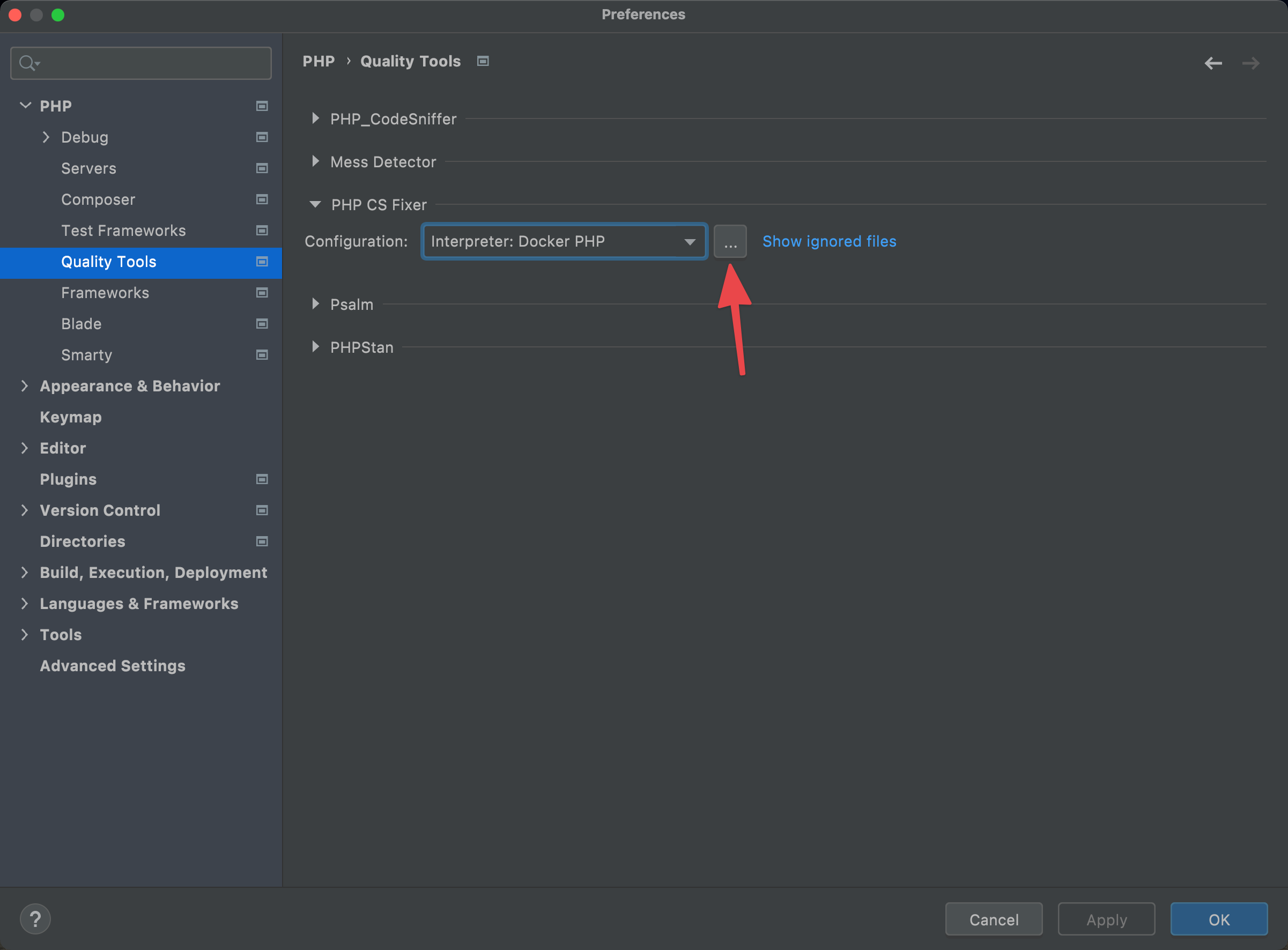
If you only see Local configuration then click + choose Docker based PHP Interpreter.
If PHPStorm does not automatically detect PHP CS Fixer path then add it manually: /var/www/html/vendor/bin/php-cs-fixer
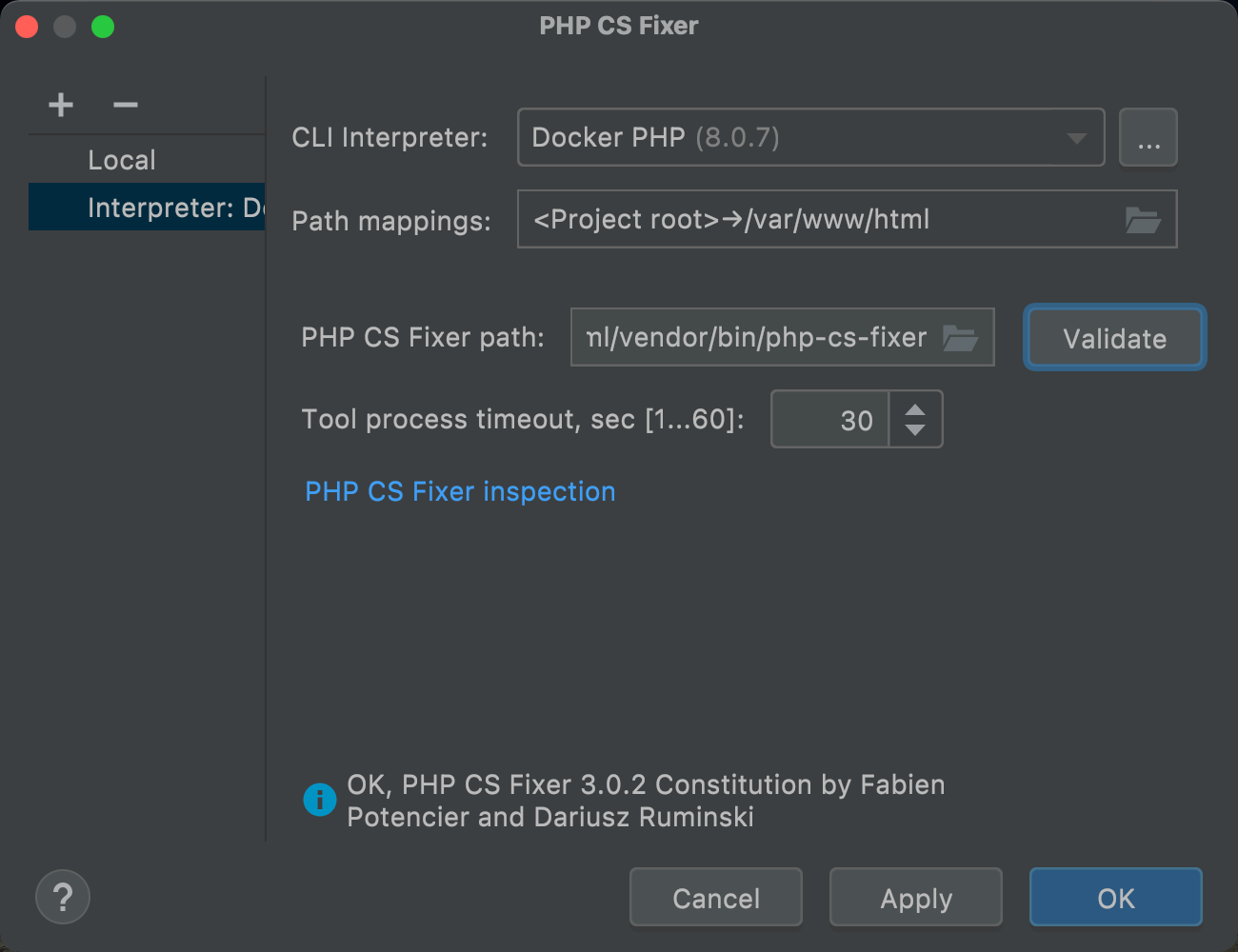
Click Validate, if everything is correct you should be able to see "OK" message down below.
Next, click PHP CS Fixer inspection link, it will open up PHPStorm's inspections configuration.
Tick PHP CS Fixer validation, on the left side Ruleset choose "Custom" and click ... button
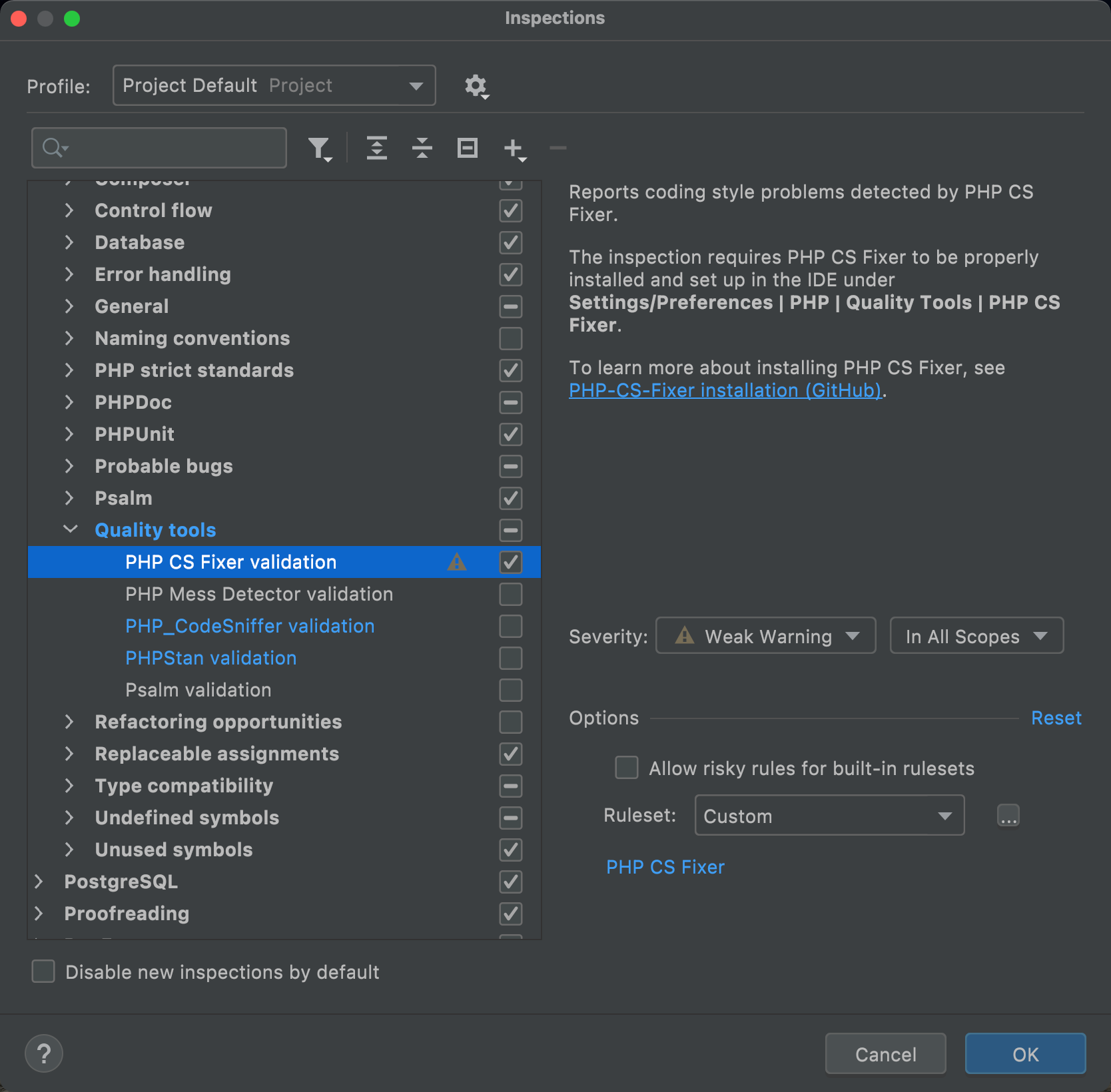
Choose .php-cs-fixer.php file from project's root directory
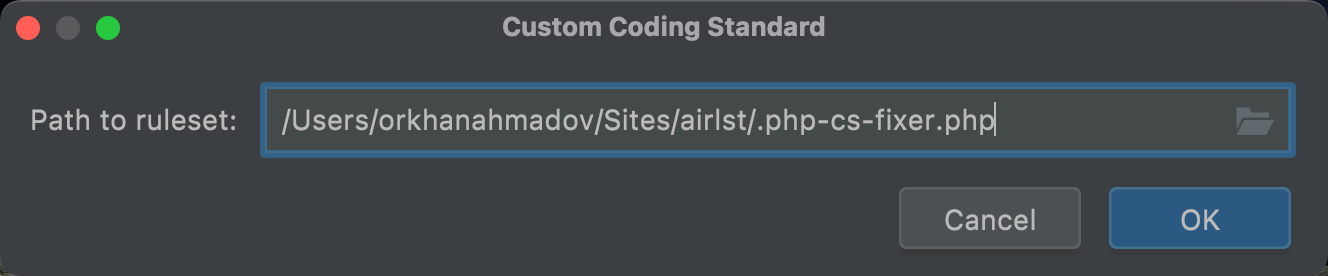
Click OK on all windows and close
Lastly, make sure you on Preferences... > PHP > Quality tools > PHP CS Fixer > Configuration: correct PHP Interpreter is selected
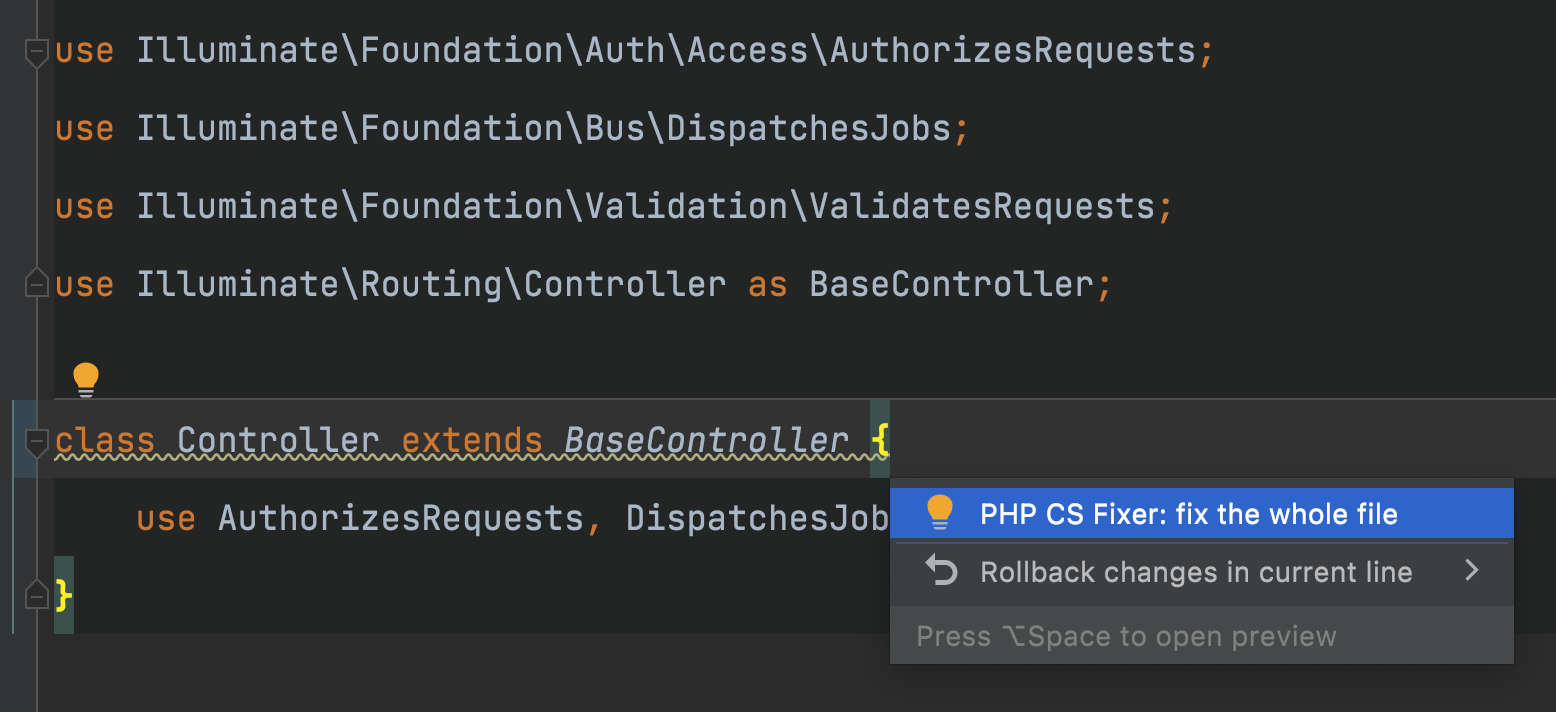
Now everytime PHPStorm notices coding style violation it will show a "warning" message and offer to fix the file for you