# PHPUnit
PHPUnit is used with Xdebug to provide test coverage for application. Run following command to execute test suite with coverage:
sail composer test
Command will run each PHPUnit test and generated coverage report.
Coverage report will be in .coverage folder on project's root directory. This directory is ignored by VCS.
Open .coverage/index.html in any browser to see coverage statistics.
Additionally, you can take a look into .coverage/dashboard.html to see code quality overview.
# Usage in PHPStorm
PHPStorm has very good built-in PHPUnit support. Once configured you can use PHPStorm's tools for running complete or individual tests, generated coverage, etc.
Important: To configure it first make sure that you set up PHPStorm's PHP interpreter correctly.
Open Preferences... > PHP > Test Frameworks. If you only see "Local" option, click + and select Docker based PHP interpreter.
If PHPStorm does not detect Path to script: enter it manually: /var/www/html/vendor/autoload.php
If PHPStorm does not detect Default configuration file:, tick this option and enter configuration file manually: /var/www/html/phpunit.xml
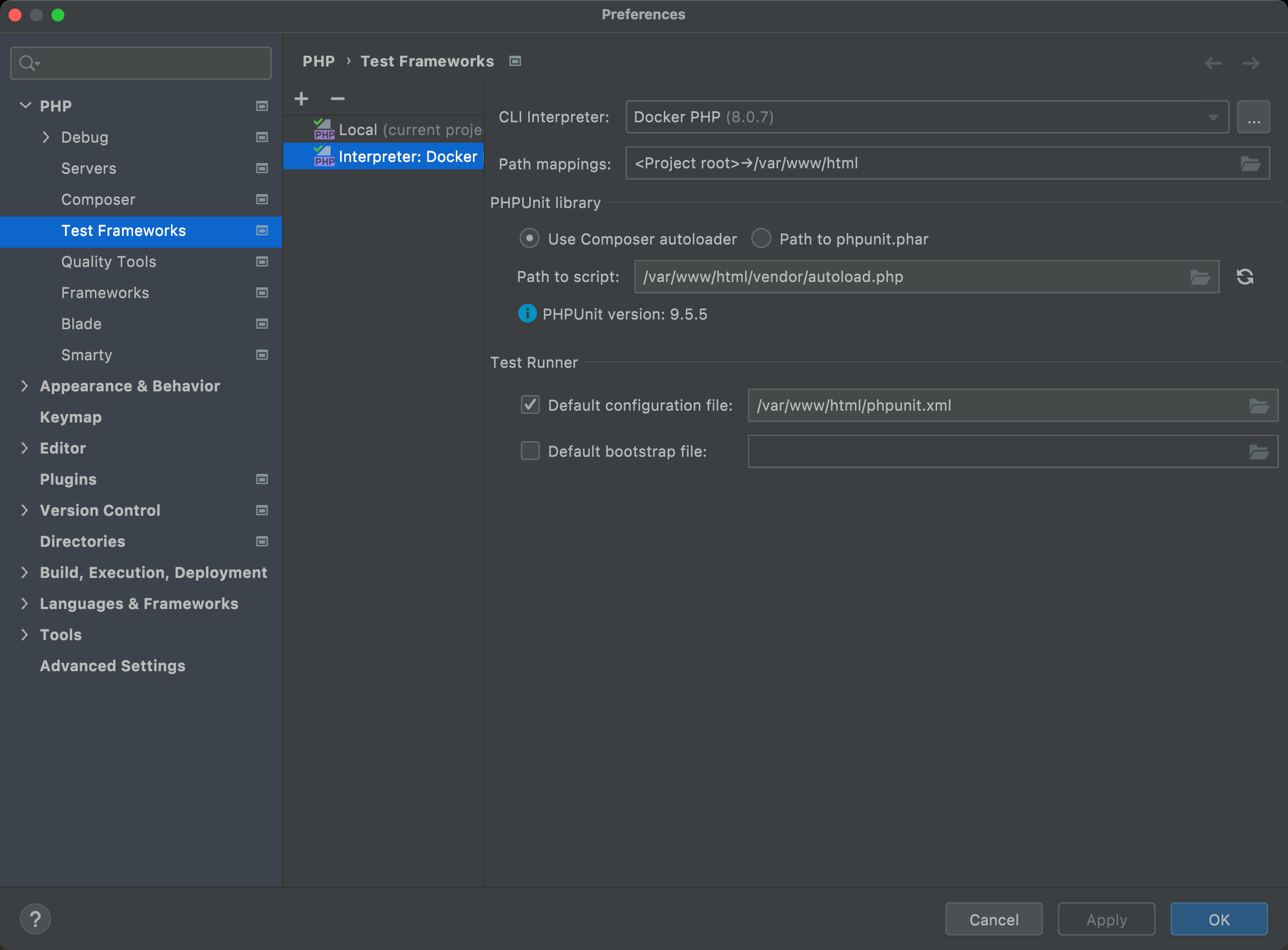
Click OK and close everything.
Now PHPStorm can use PHPUnit internally for running tests, generating coverage.
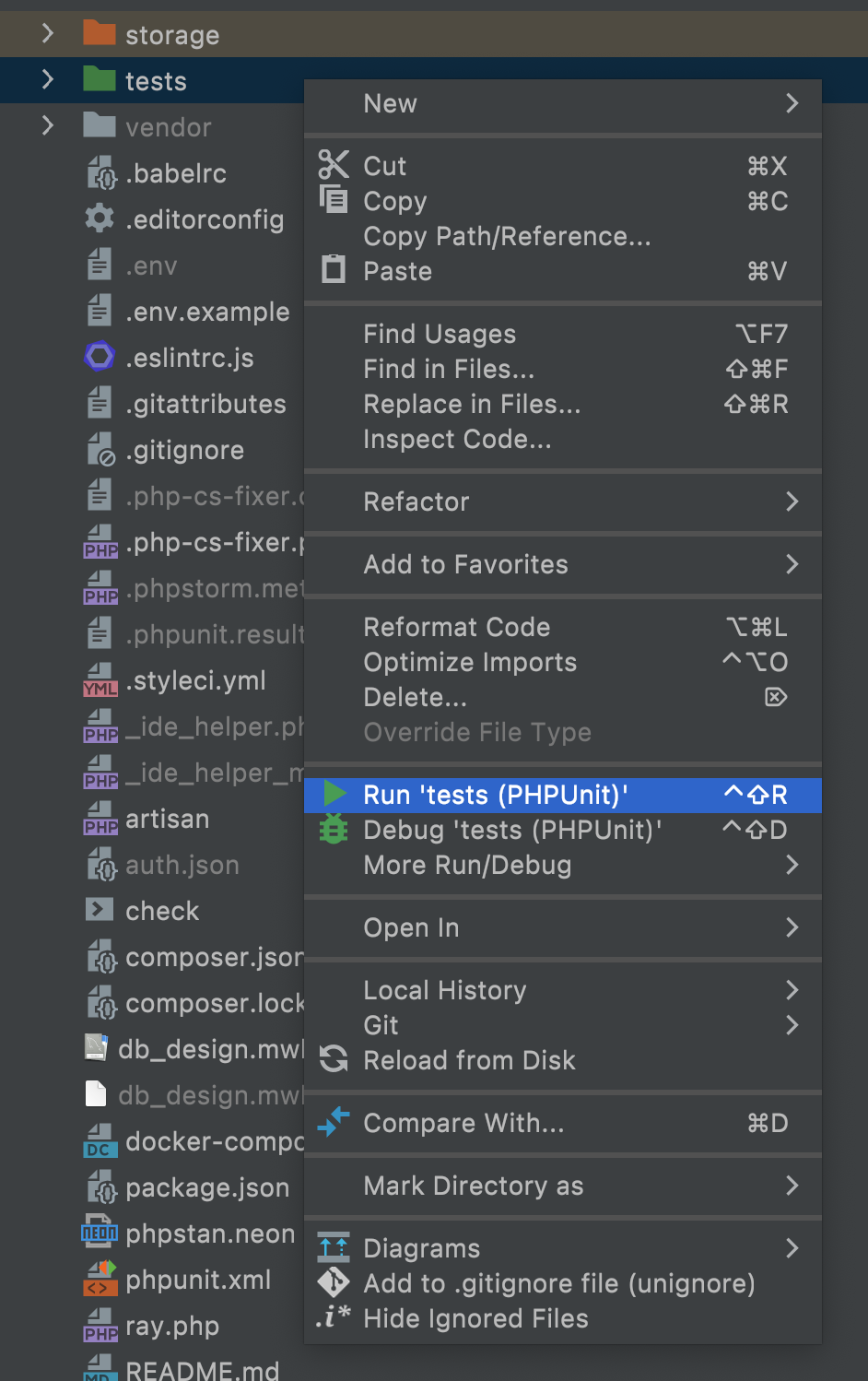
For example, you can select tests folder and for context menu to can choose Run 'tests (PHPUnit)'. This will run all tests using PHPStorm's "Run" context.
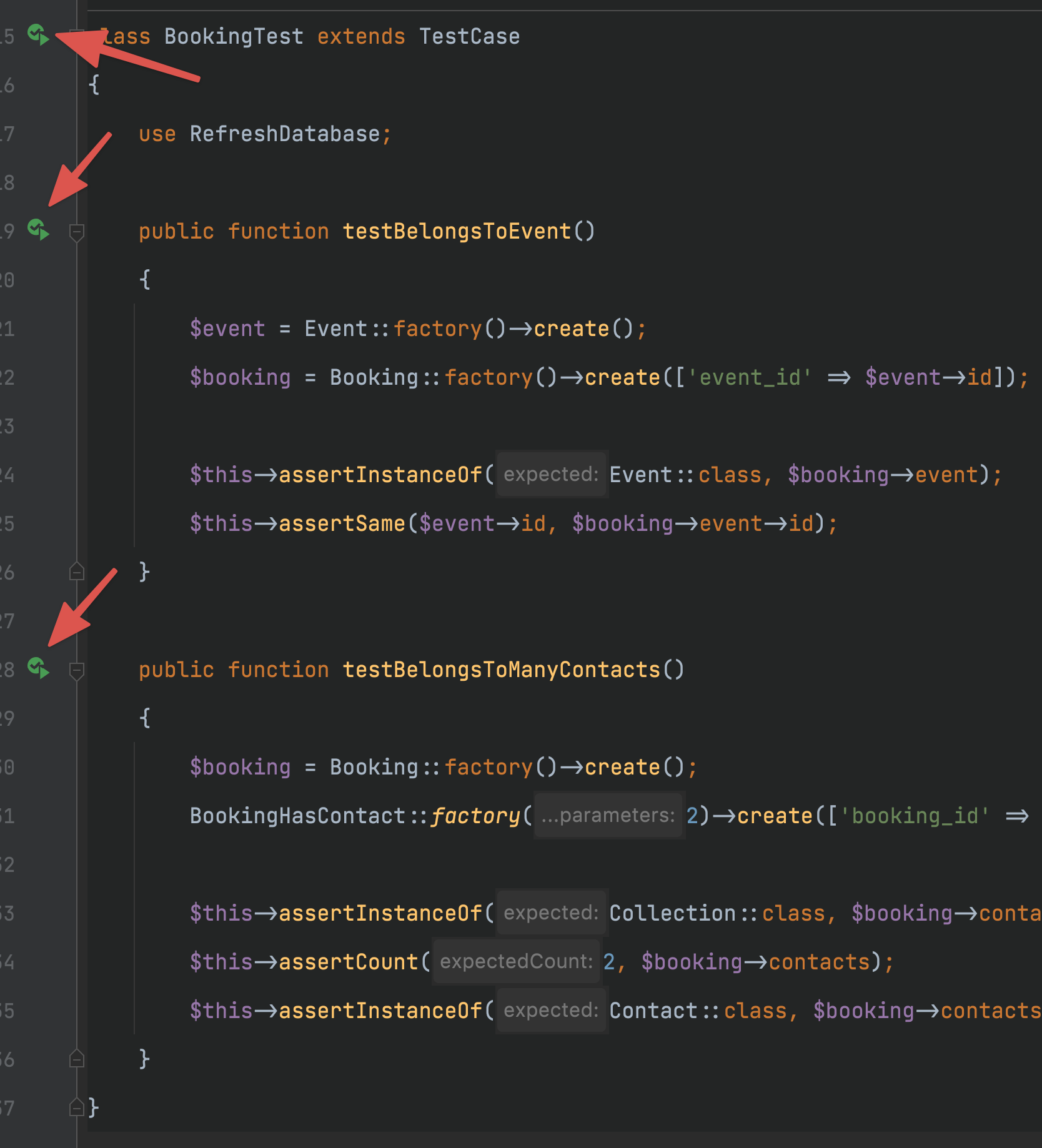
Also, from test classes you can choose to run all tests in that class or individual test using the icon on the editor
You can also run coverage with your tests. Select tests folder from project's root directory and from context menu choose More Run/Debug > Run 'tests (PHPUnit)' with Coverage
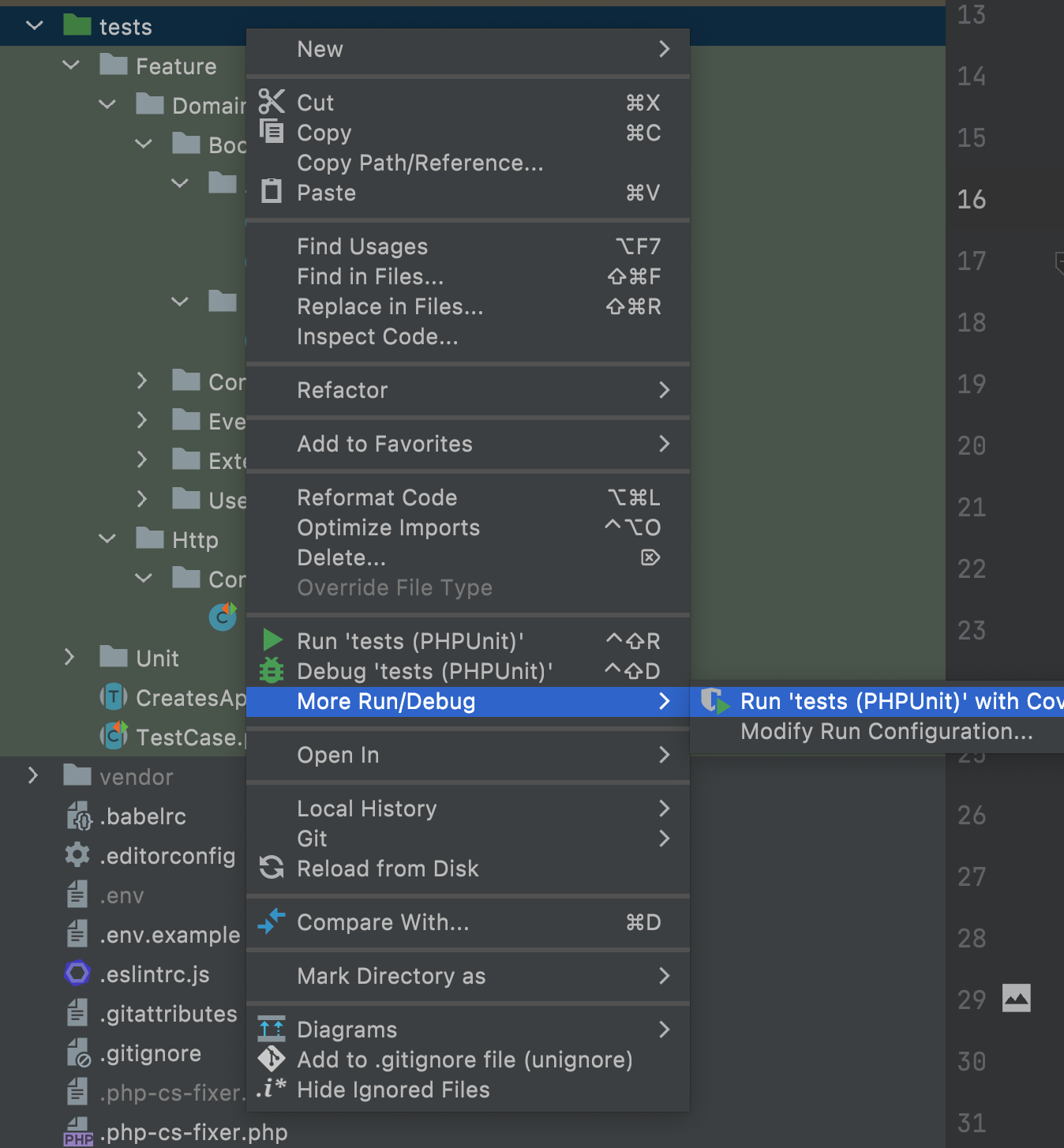
PHPStorm will run all tests and internally generated coverage report. Once done, Coverage report window will pop up.
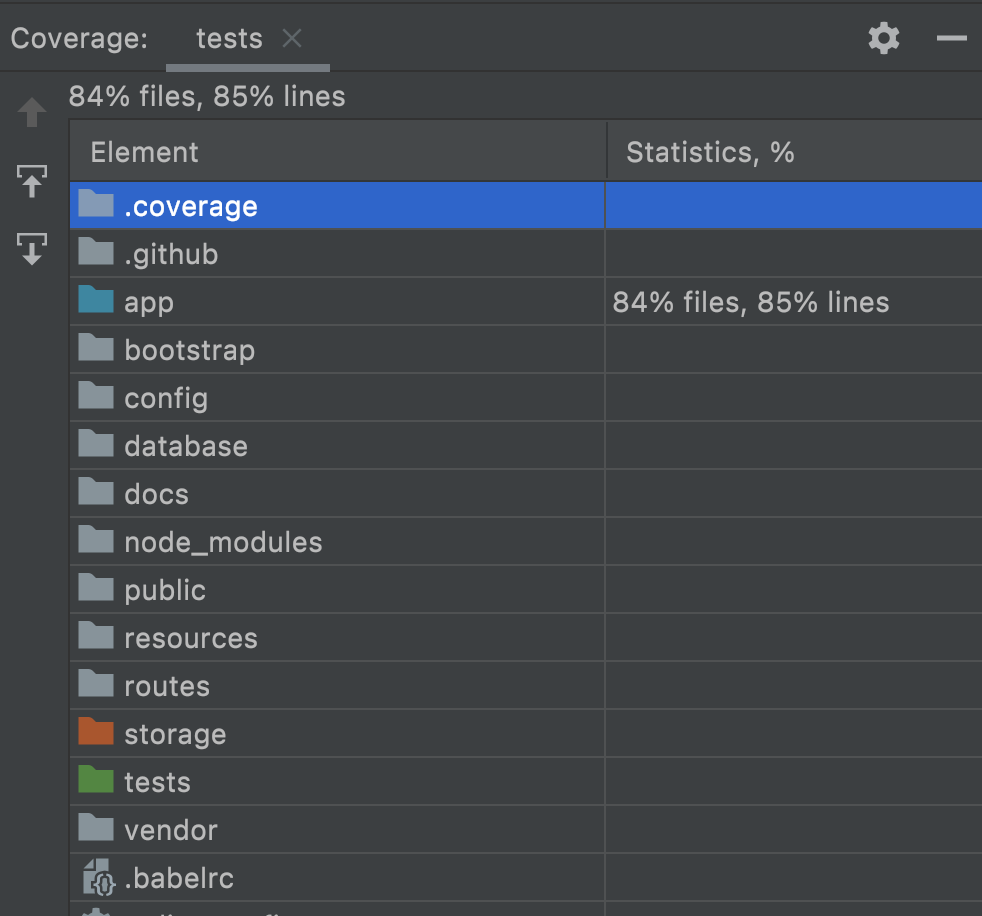
Here you can see coverage statistics, go down the folders and see individual file/folder statistics.
← PHPStan